 Aldang
Your notification history. And an AI briefing when you ask.
Aldang keeps a history of the notifications on your Android phone, even after you swipe them away, so you can find them later. With Aldang Pro, AI sums up a day of them in one short report.
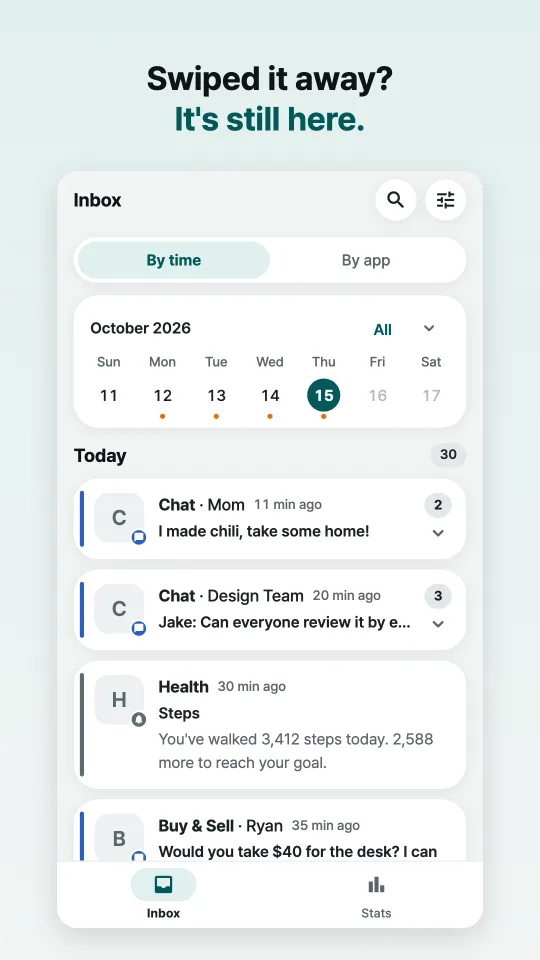
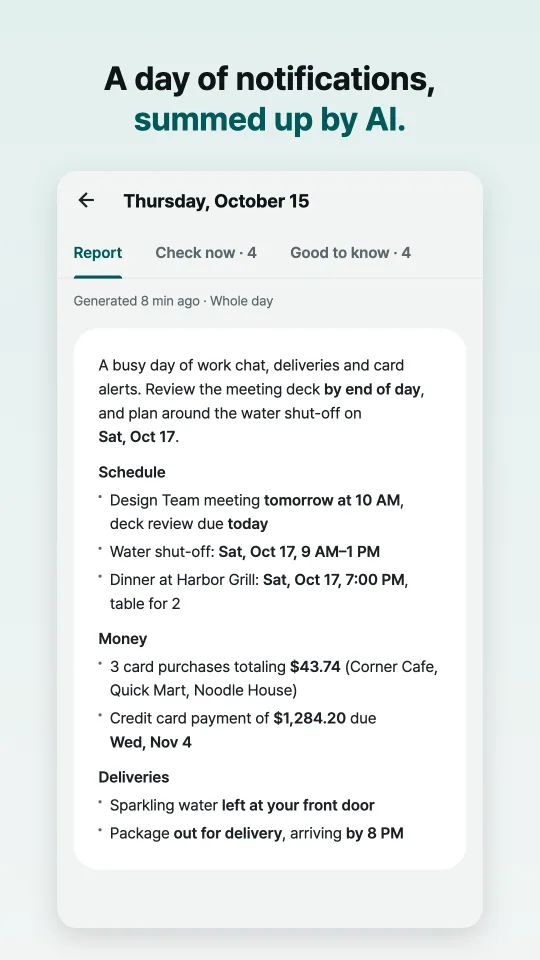
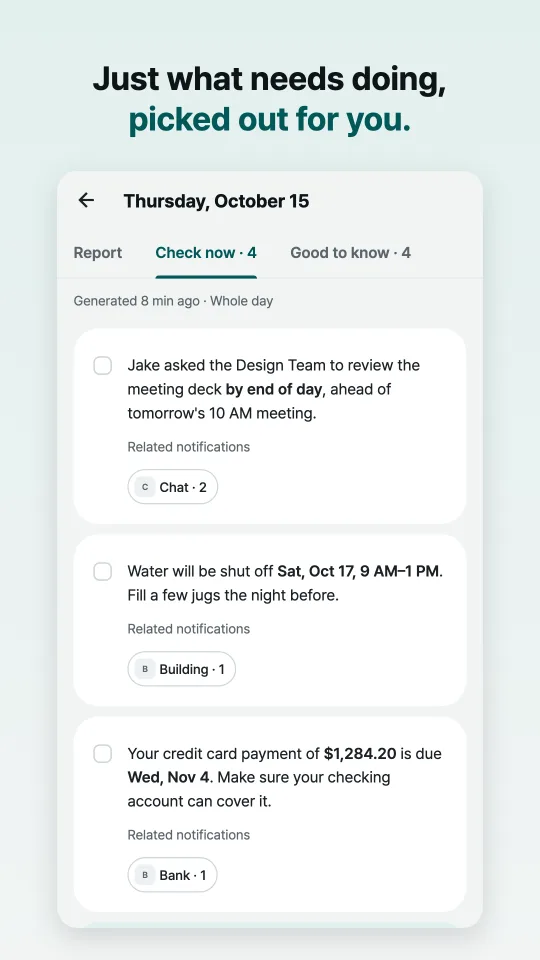
Screenshots show sample notifications.
Free, and it stays on your phone
Inbox
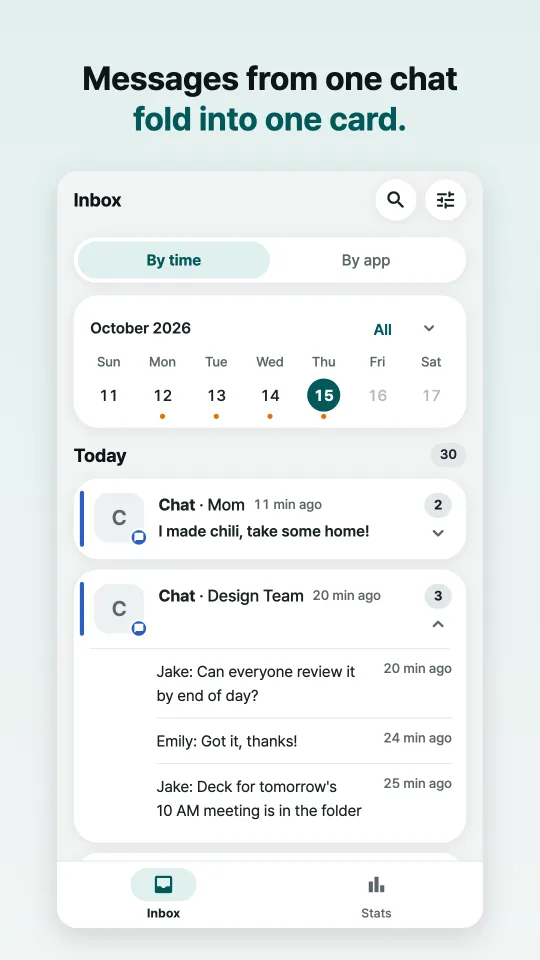
Messages, deliveries, payments, building notices, promotions: kept after the shade is cleared. View by time or by app, and pick a day on the calendar to see only that day.
Search
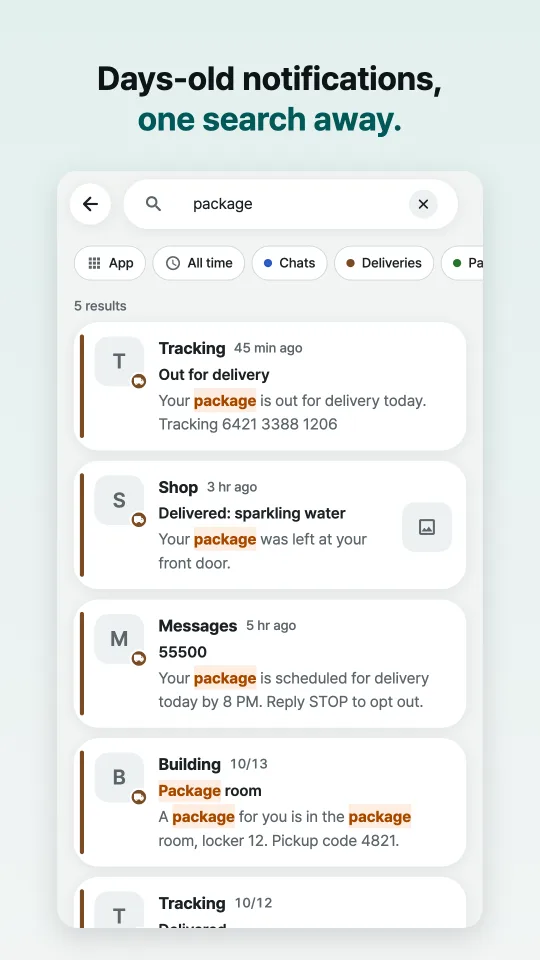
Find a past notification by keyword, then narrow by app, period or category. Search runs on your phone.
Stats
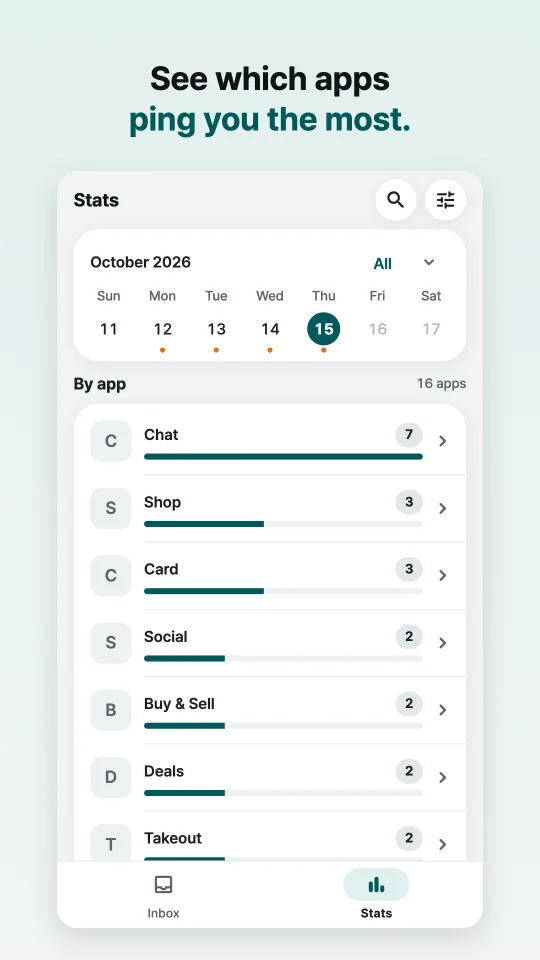
Notification counts per day on a calendar, and the apps that notify you most.
Collection health
If notification access gets disconnected, the app shows the exact window that was missed and tells you how to reconnect.
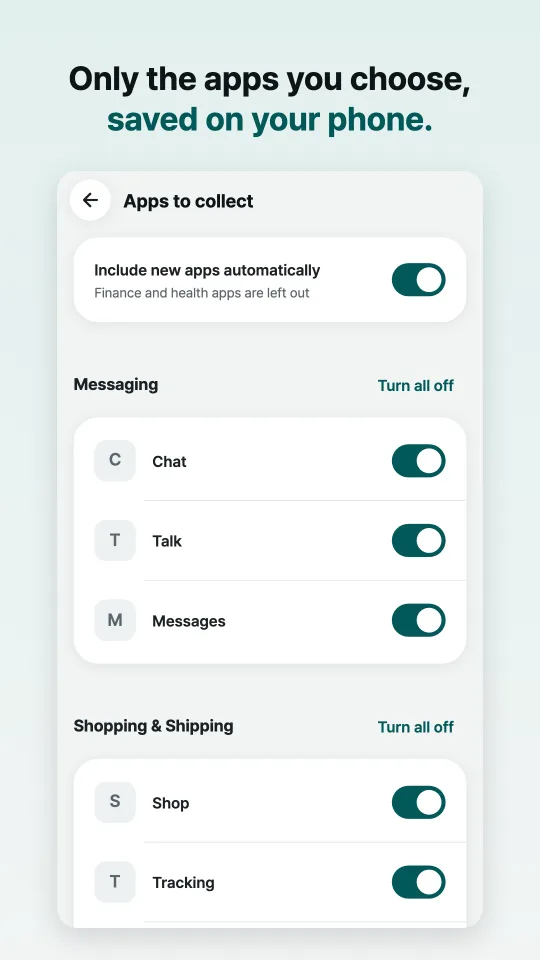
You choose which apps to keep notifications from. Your history can be exported to a file or deleted in Settings at any time.
Aldang Pro: the AI briefing
- Pick a day and tap Generate briefing.
- You get one short report of that day, plus Check now and Good to know lists. Each item links to the notifications it came from.
- Already made one that day? Choose Since last briefing or Whole day. One briefing takes in up to 512 notifications.
- Leave out any app you don't want included.
- Up to 3 briefings a day.
That's about US$4 where sales tax is added. New subscribers get 7 days free, then 25% off the first month (about US$2.77 in the US), then the regular price. There's no annual plan.
In other countries, Google Play shows the local price. You pay and cancel through Google Play; there is no Aldang account.
What leaves your phone
Your notification history is stored on your phone. Notification text leaves it in one case only: when you tap Generate briefing. The first time, the app asks for your consent.
- Aldang takes excerpts of that day's notifications: the time, the app, the sender, the title and the text, cut to 800 bytes each. Photos are never sent, and neither are notifications from apps you left out.
- The excerpts are sent only when you make a briefing, through Aldang's server to an AI that doesn't keep them. Aldang's server doesn't store them either.
- The briefing comes back and is saved only on your phone.
Other things the app sends: a check of your Google Play subscription, and usage stats (a few app events such as "briefing made", plus basic device info). Usage stats never include notification content, and you can turn them off in Settings. In the EEA, the UK and Switzerland, the app asks before turning them on.
No ads, and we don't sell data. The full details, including the exact path and how long each record is kept, are in the privacy policy.
Good to know before you install
- Aldang is Android only.
- It keeps notifications that arrive after you install it and turn on notification access, not ones from before.
- If an app hides message previews, Aldang only has what the notification showed.
- Ongoing notifications such as music, navigation and downloads aren't kept.
- From Android 15, the system hides sensitive notifications, such as one-time codes, from apps like Aldang. Aldang tells you when this happens.
- Permissions: notification access is required. Sending you notifications and ignoring battery optimization are optional. Aldang doesn't ask for contacts, location or storage access.
- The app is in English, Korean, Japanese, Chinese (Simplified and Traditional), Spanish, Portuguese, German, French and Italian, and briefings are written in the app's language. On phones set to any other language, it opens in English.
Questions
Can it show a notification I swiped away before installing it?
No. Aldang keeps notifications that arrive after you install it and turn on notification access. Your phone's own notification history might still have an older one if it was turned on, but only for a short time (24 hours on a Pixel). Here's how to see notifications you swiped away on Android, on a Pixel or a Samsung Galaxy.
Does it drain the battery?
Aldang runs as a notification listener, which Android calls when a notification arrives. It has no always-on foreground service, doesn't start itself at boot and runs no scheduled jobs. The network is used only when you make a briefing, when your subscription is checked, and for usage stats.
Why is the briefing a subscription?
Every briefing costs money in AI model fees. Everything that doesn't use a server, like the history, search and stats, stays free. Aldang has no ads and doesn't sell data.
Is the AI running on my phone?
No. Briefings use a cloud AI model, and only the excerpts described above are sent, only when you tap. The inbox, search and stats work entirely on your phone.
Who makes Aldang?
I run Byte-Creo, a one-person product studio. I get 200 to 300 notifications a day. There are plenty of ways to silence them, but I wanted to get all of them and still not miss what matters, so I built Aldang.
How do I cancel?
In the Google Play Store app, open Payments & subscriptions, then Subscriptions. Aldang also has a link to manage your subscription in Google Play.