
How to see notifications you swiped away on Android
If notification history was already on, you can see it again. On a Pixel, open Settings › Notifications › Notification history. On a Samsung Galaxy, open Settings › Notifications › Advanced settings › Notification history. If it was off, Android has no list to show, so check the app that sent it. Pixel keeps 24 hours.
 Prefer to watch? The same steps on Pixel and Samsung in a 2-minute video on YouTube.
Pixel
- Open Settings.
- Tap Notifications, then Notification history.
- Turn on Use notification history.
To look back later, swipe down from the top of the screen, scroll to the bottom of your notifications and tap History. Google says that once it's on, the phone keeps a list of the notifications you've dismissed in the last 24 hours.
Samsung Galaxy
- Open Settings.
- Tap Notifications, then Advanced settings.
- Tap Notification history and turn on the switch at the top.
Samsung's own help notes that alerts older than 24 hours may not be kept, and that this varies by device.
Other Android phones
Google's Android Help says to look in Settings › Notifications, and that some devices don't have notification history at all, with settings that differ from phone to phone. If you can't find it, type "notification history" into the search bar at the top of Settings.
What the built-in history won't do
- It only covers notifications that arrive after you turn it on. Anything from before isn't there.
- It's short. On a Pixel it lists the last 24 hours, so yesterday morning's delivery update is gone by tonight.
- Not every phone has it.
So turn it on now, even if you never plan to use it. It costs nothing and it's the only way Android itself can show you a notification you cleared by accident.
If 24 hours isn't enough
Aldang is our app. We make it, so read this part with that in mind.
Aldang keeps the notifications that reach your phone as a history on the phone. Nothing is deleted automatically. You decide when to clear it, from 7, 30 or 90 days back, or all of it.
- An inbox you can view by time or by app, with a calendar to open any day.
- Keyword search, narrowed by app, period or category. Search runs on your phone.
- Stats: how many notifications you get each day, and which apps send the most.
- If notification access gets disconnected, the app shows the exact window it missed.
All of that is free, with no account and no ads. Aldang Pro adds an AI briefing that turns a day of notifications into one short report. Excerpts of that day's notifications are sent to an AI model only when you tap Generate briefing. Pro is US$3.69 a month in the US (about US$4 where sales tax is added), and new subscribers get 7 days free; other countries see the local price on Google Play.
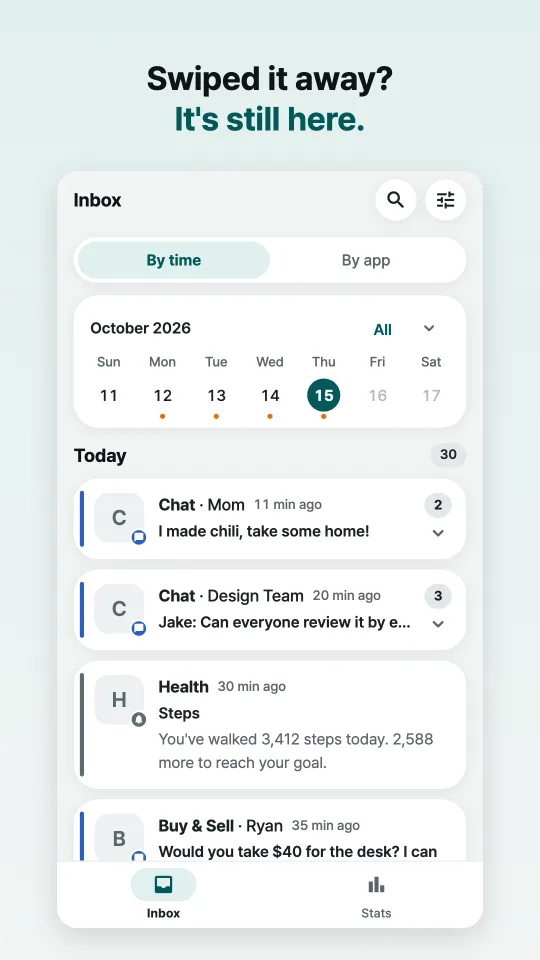
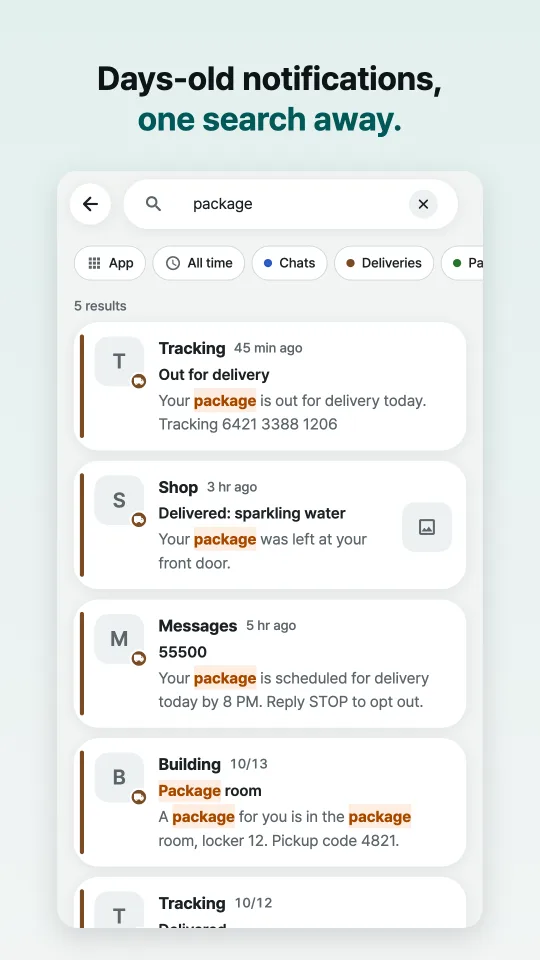
Screenshots show sample notifications.
Get Aldang on Google PlayWhat Aldang can't do
- It keeps notifications that arrive after you install it and turn on notification access, not ones from before. If access gets cut off, what arrived during that gap can't be brought back.
- If an app hides message previews, Aldang only has what the notification showed. From Android 15, the system hides sensitive notifications, such as one-time codes, from apps like Aldang.
- Ongoing notifications (music, navigation, downloads), grouped summary notifications and notifications you can't dismiss aren't kept.
- If you mute a group chat so it sends no notifications, there's nothing to keep. Chats set to silent are still kept, and so is anything that arrives during Do Not Disturb.
- It's Android only.
Questions
Can I see a notification from before I turned anything on?
No. Neither Android's notification history nor Aldang can show notifications that arrived before they were turned on. Open the app that sent it; the message or order is usually still there.
Does Aldang upload my notifications?
Your history stays on your phone. Notification text leaves it only when you tap Generate briefing in Aldang Pro, and then only excerpts of that day. The details are in the privacy policy.